
0xArchive guide · Hyperliquid and Lighter
The 0xArchive Terminal runs Pine Script® indicators on Hyperliquid and Lighter charts. Paste a Pine v5 or v6 indicator() script into its script editor, press Add to chart, and it draws on the market you have open.
The Terminal is free and needs no account. Your scripts stay in your browser.
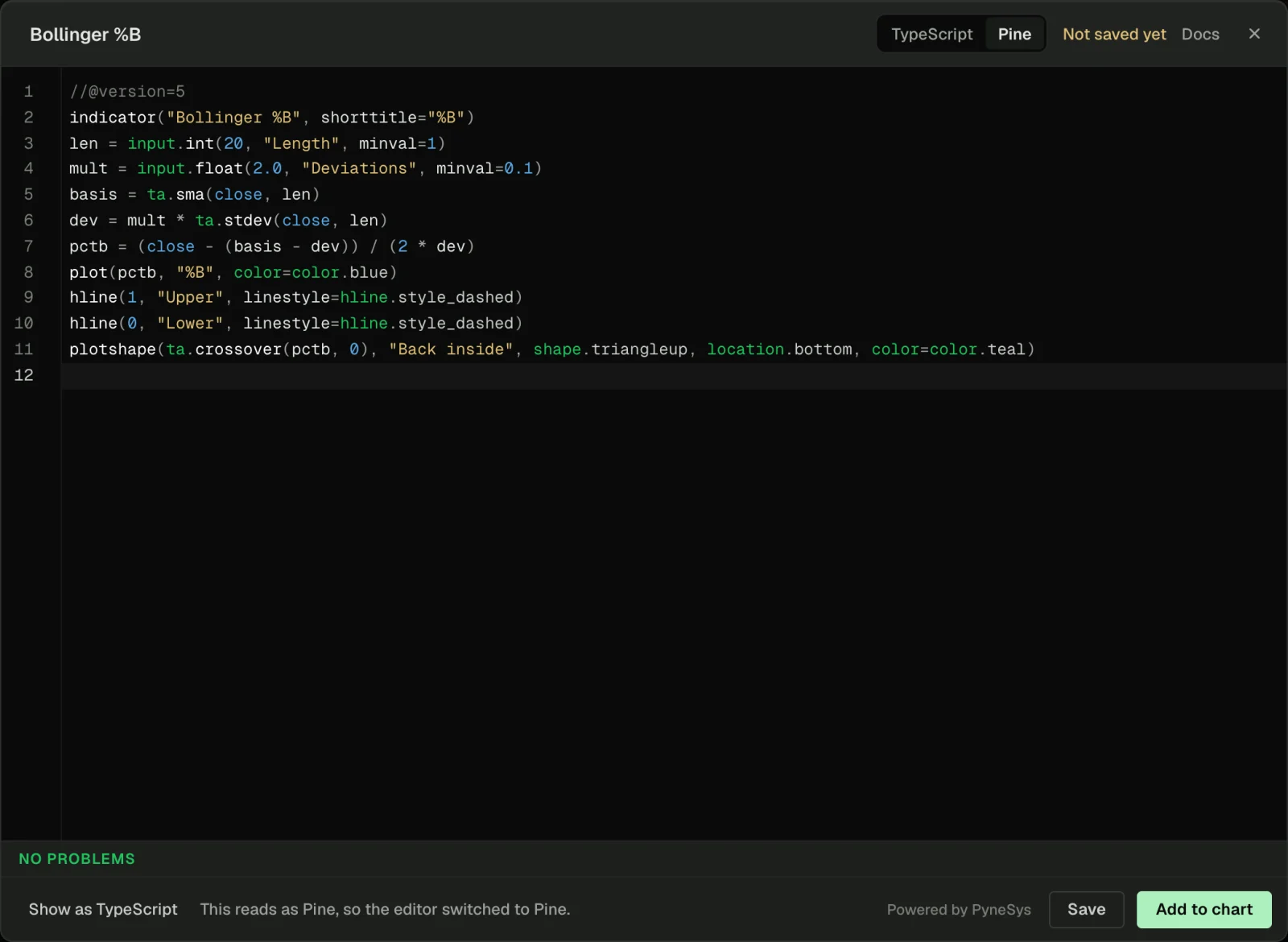
Paste a Pine v5 or v6 indicator and it runs on any Hyperliquid or Lighter chart
Open the chart you want, then Indicators, then New script. Paste the script. The editor sees Pine and switches its language toggle to it on its own.
Here is the script in the screenshot, a standard Bollinger %B:
//@version=5
indicator("Bollinger %B", shorttitle="%B")
len = input.int(20, "Length", minval=1)
mult = input.float(2.0, "Deviations", minval=0.1)
basis = ta.sma(close, len)
dev = mult * ta.stdev(close, len)
pctb = (close - (basis - dev)) / (2 * dev)
plot(pctb, "%B", color=color.blue)
hline(1, "Upper", linestyle=hline.style_dashed)
hline(0, "Lower", linestyle=hline.style_dashed)
plotshape(ta.crossover(pctb, 0), "Back inside", shape.triangleup, location.bottom, color=color.teal)
The editor checks it as you type. A problem shows against your own Pine line number, so you fix it where you wrote it.
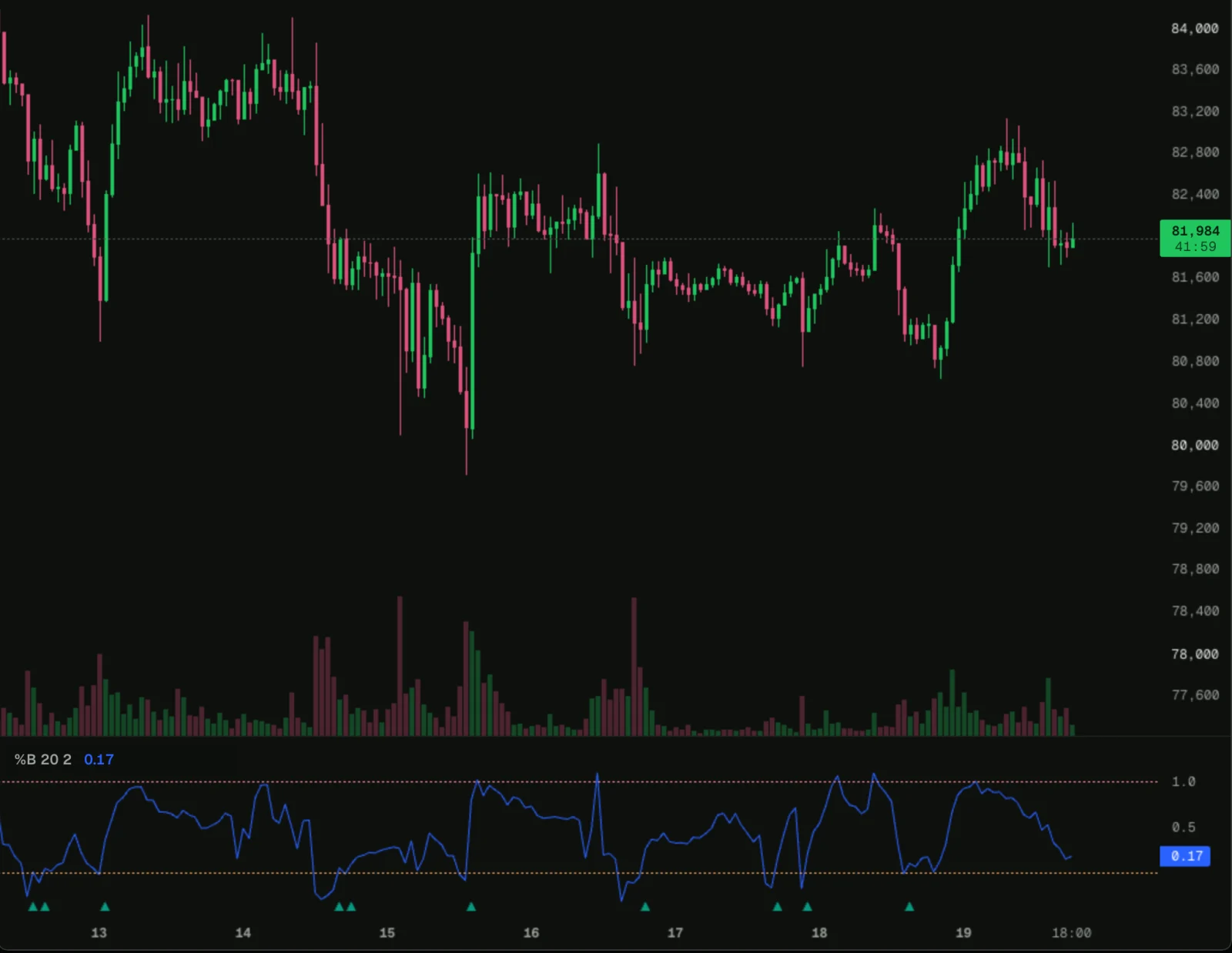
The same script runs on every market the Terminal charts. Switch the chart to ETH, a HIP-3 stock perp or a Lighter market, and the indicator follows.
request.footprint reads order flow from Hyperliquid's own fills
Pine's request.footprint asks for each bar's volume split into buying and selling. In the Terminal it is built from the market's trades, the fills 0xArchive records from Hyperliquid itself, with the side of every taker.
//@version=6
indicator("Bar delta from the footprint", shorttitle="FP delta")
fp = request.footprint(100)
d = na(fp) ? na : fp.delta()
plot(d, "Delta", style=plot.style_columns, color=d >= 0 ? color.teal : color.red)
That script plots each bar's delta: taker buying minus taker selling, in BTC.
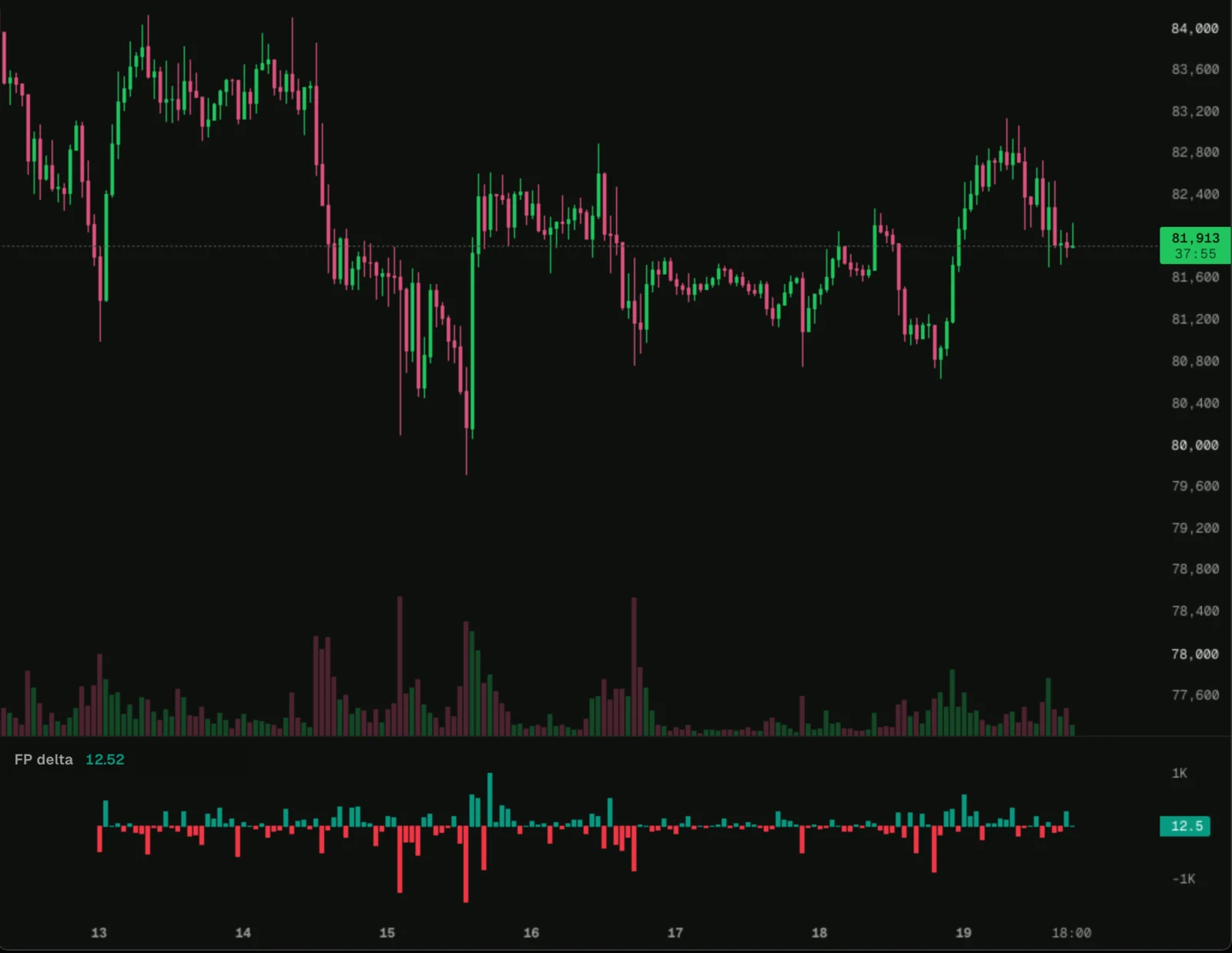
Trades reach back at most 7 UTC days from the chart's first bar. Bars older than that read na, which is why the script checks na(fp) first.
Show as TypeScript turns the Pine into a script you can extend
Every pasted Pine script becomes a TypeScript script when it loads, and the TypeScript is what runs. Show as TypeScript, in the editor's footer, swaps your Pine for it. Undo brings the Pine back.
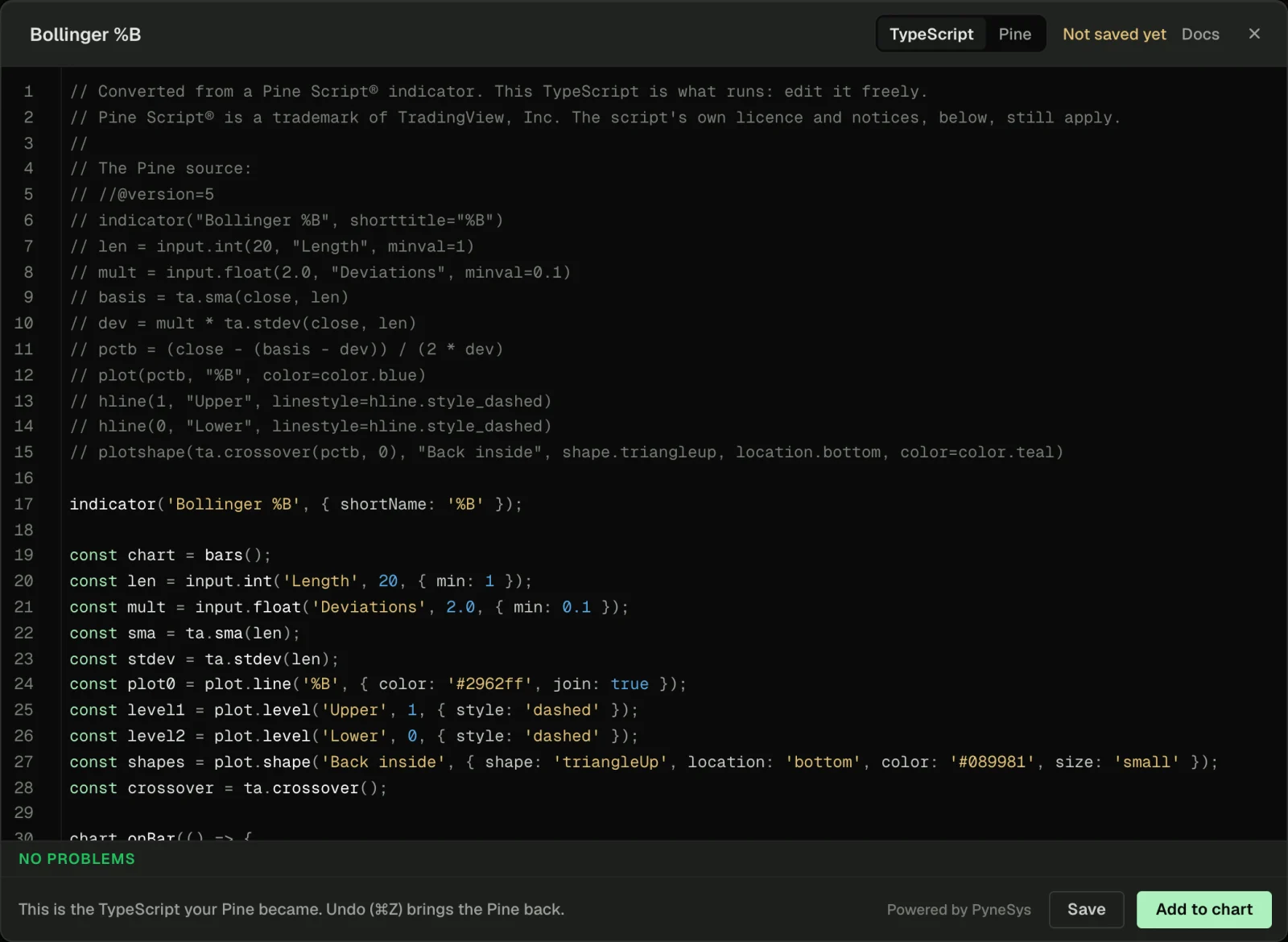
Each Pine idea maps to one thing in the TypeScript:
| Pine | TypeScript in the Terminal | Note |
|---|---|---|
ta.sma(close, len) | ta.sma(len), updated each bar | One instance per call |
var x = ... | state.bar(...) | Kept between bars |
x[n] | .ago(n) on a series | Bars back |
request.security on the same ticker | A second bars({ interval }) | Reads closed bars only |
plot, hline, plotshape | plot.line, plot.level, plot.shape | Drawn in the script's pane |
alertcondition | alert | Fires while the chart is open |
The ta.* formulas follow PyneSys's PyneCore, which the editor credits in its footer.
A few lines of TypeScript mark the bars where longs were stopped out
Once the script is TypeScript, it can read any stream the Terminal gives a script. One of them is trades(), where every Hyperliquid fill carries takerWhy: what the taker did to its own position.
stop_long means the taker cut a long at a loss, or was liquidated out of one. Added to the %B script, it marks the bars where price sat below the lower band and at least $250,000 of longs were stopped out:
const tape = trades();
const minStops = input.float('Longs stopped out, at least ($)', 250000, { min: 0 });
const stopped = tally();
const marks = plot.markers('Longs stopped out');

tape.onTrade((t) => {
  if (t.takerWhy === 'stop_long') stopped.add(t.notional);
});

// inside chart.onBar, after %B is computed:
if (tape.available && pctb < 0 && stopped.value >= minStops) {
  marks.add({ position: 'below', shape: 'circle', text: fmt.usd(stopped.value), color: color.down });
}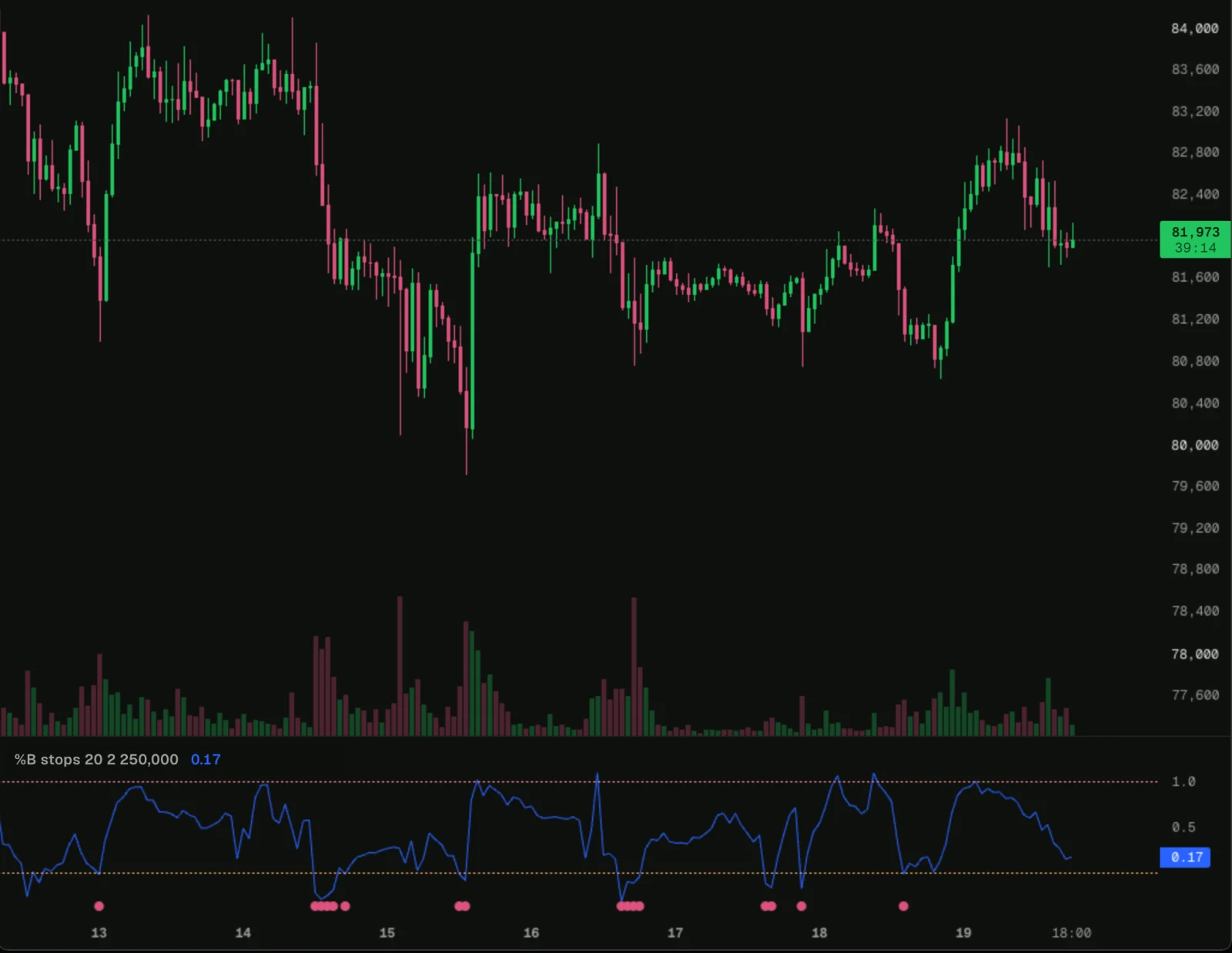
A close under the lower band looks the same on every chart. The dots split those bars into ones where longs were forced out and ones where they were not.
takerWhy is recorded on Hyperliquid and HIP-3. On Lighter it reads null, so this marker stays empty there while the %B line still draws.
Strategy scripts, Pine v4 and library imports are refused for now
Each refusal comes with a message saying what to do instead.
| What you paste | What happens | What to do |
|---|---|---|
A strategy() script | Refused, strategies come later | Change it to indicator() and plot its signals with plotshape |
| Pine v4 or older | Refused | Convert it to v5 or v6 in TradingView's Pine Editor, then paste it |
An import of a library | Refused for now | Paste the library's functions above the lines that use them |
request.financial, request.economic and other TradingView-only data | Refused | Remove the call, or use the chart's own data |
request.security on another ticker works for Binance, Bybit and OKX crypto tickers. Macro tickers such as TVC:DXY are TradingView-only data.
Common questions
Can you use Pine Script on Hyperliquid? Yes. The 0xArchive Terminal translates Pine v5 and v6 indicator() scripts and runs them on Hyperliquid and Lighter charts, free and without an account.
Does the Terminal run Pine strategies? Not yet. strategy() scripts are refused with a message, and indicators run.
Where does the order-flow data come from? From 0xArchive's record of Hyperliquid fills, with the taker side and what each side did to its position. request.footprint and trades() read up to 7 UTC days of it, then follow the live tape.
Is it TradingView? No. Pine Script is a registered trademark of TradingView, Inc., and the Terminal is an independent product that reads the language. Your scripts keep their own licences and notices.
Run this analysis from an agent
An AI can write these scripts for you. The Terminal's scripting reference for agents explains how, and terminal/llms.txt puts every guide, diagnostic code and example in one file to hand a model. For the data behind the scripts, the 0xArchive MCP server gives an agent the same Hyperliquid and Lighter history in plain language. Start with the agent surfaces overview.
Route references
The Pine Script guide lists every Pine mapping and refusal, and your first script starts from TypeScript. The order flow guide covers trades(), takerWhy and footprints, and the stopped-out footprint and RSI cross, pasted Pine examples open in the editor. Every script runs within the limits. The Terminal launch post covers the rest of the Terminal, and the order flow data page the data underneath.
For current API availability and plan details, use the Hyperliquid data API, data catalog, pricing, and status.